-55% 🔥 Task Tracker 2.0 sale — ends in 05:48:00
★★★★★ Trusted by thousands of happy customers
↻ Fully automated

A task system that keeps up with real life

Plan smarter, stay consistent and finally follow through — without juggling multiple tools. Fully automated, easy to customize, and designed to keep you on track even if your brain gets overwhelmed easily.

✓ Auto-repeat tasks
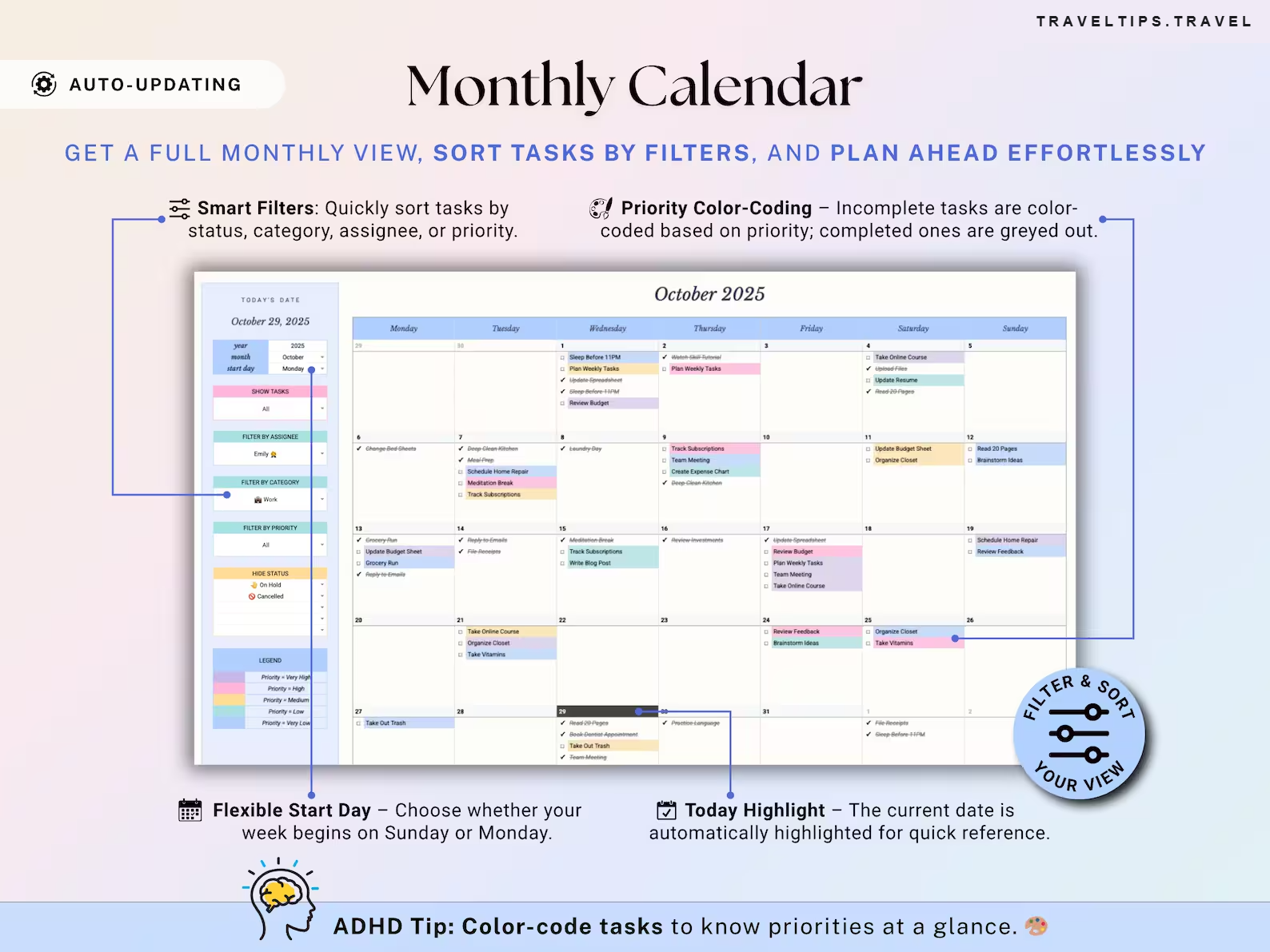
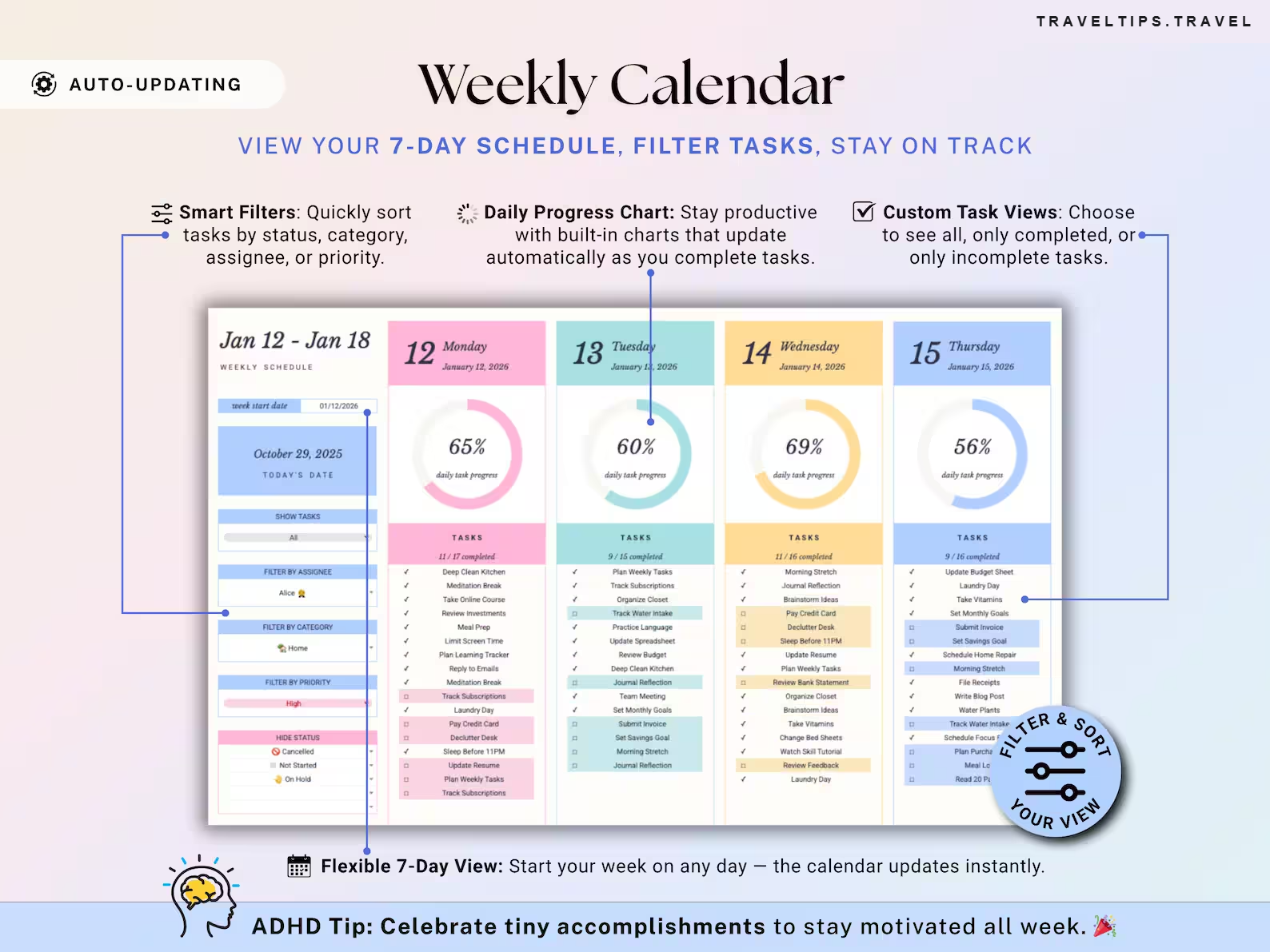
✓ Weekly & monthly calendars
✓ ADHD-friendly
✓ Google Sheets + Excel
✓ Video tutorial
Get instant access — €12.99 →
€29 buy once, use forever
Instant download · Lifetime access · Setup instructions included
24 people are viewing this right now
🛒In 15 carts
Task Tracker 2.0
6
automated tabs
~1,000
tasks per file
25,000+
happy customers
2
calendars: weekly + monthly
Keeping on top of tasks today
Five apps and a pile of sticky notes
✕Tasks scattered across notes, reminders, email and your head.
✕Recurring chores re-typed every week — until you forget one.
✕No idea what is due today versus what is already overdue.
✕Big to-do lists that overwhelm instead of help.
With Task Tracker 2.0
One place that tells you what’s next
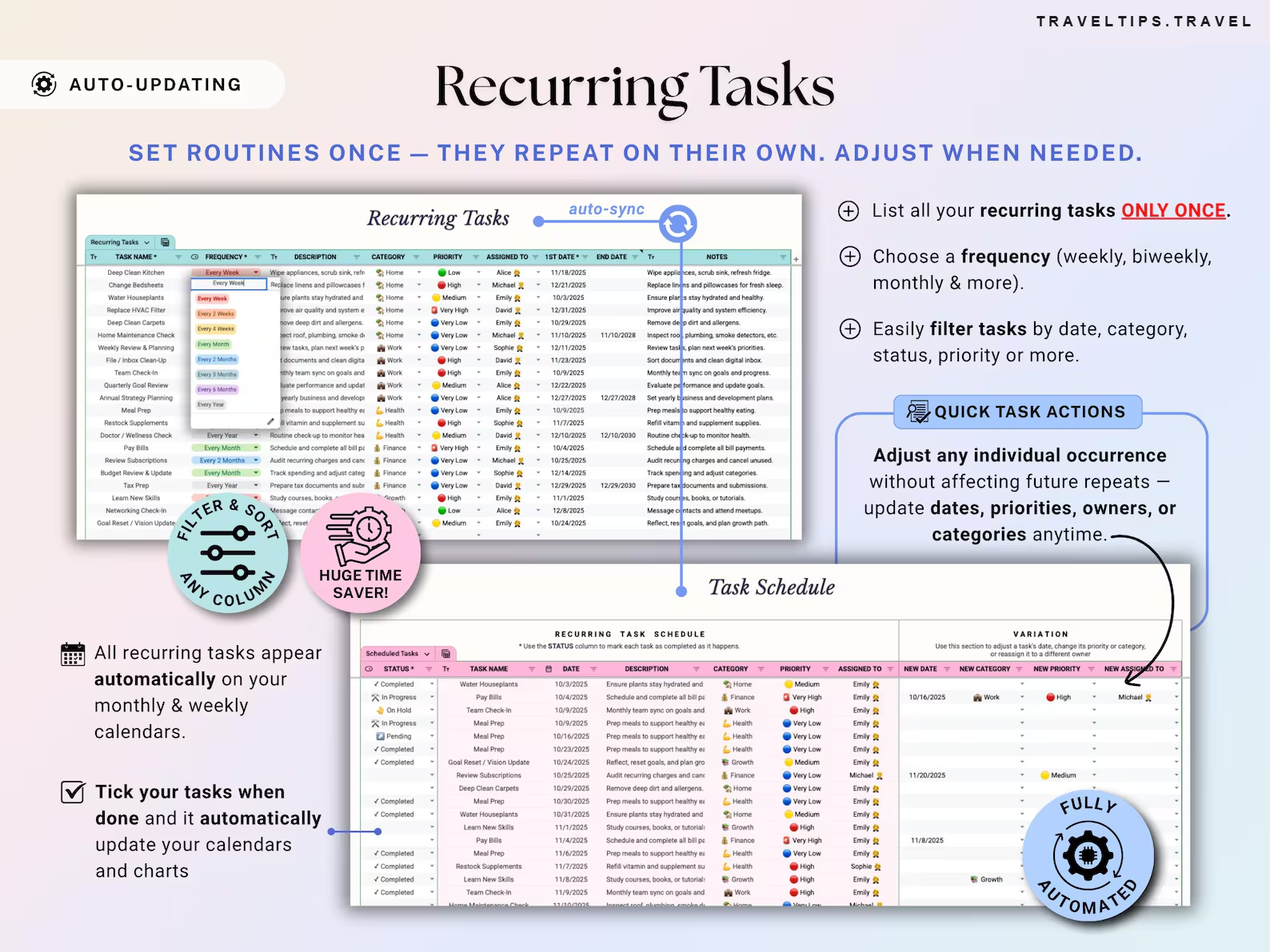
✓Set routines once — they auto-repeat, and you can adjust any single task without breaking the series.
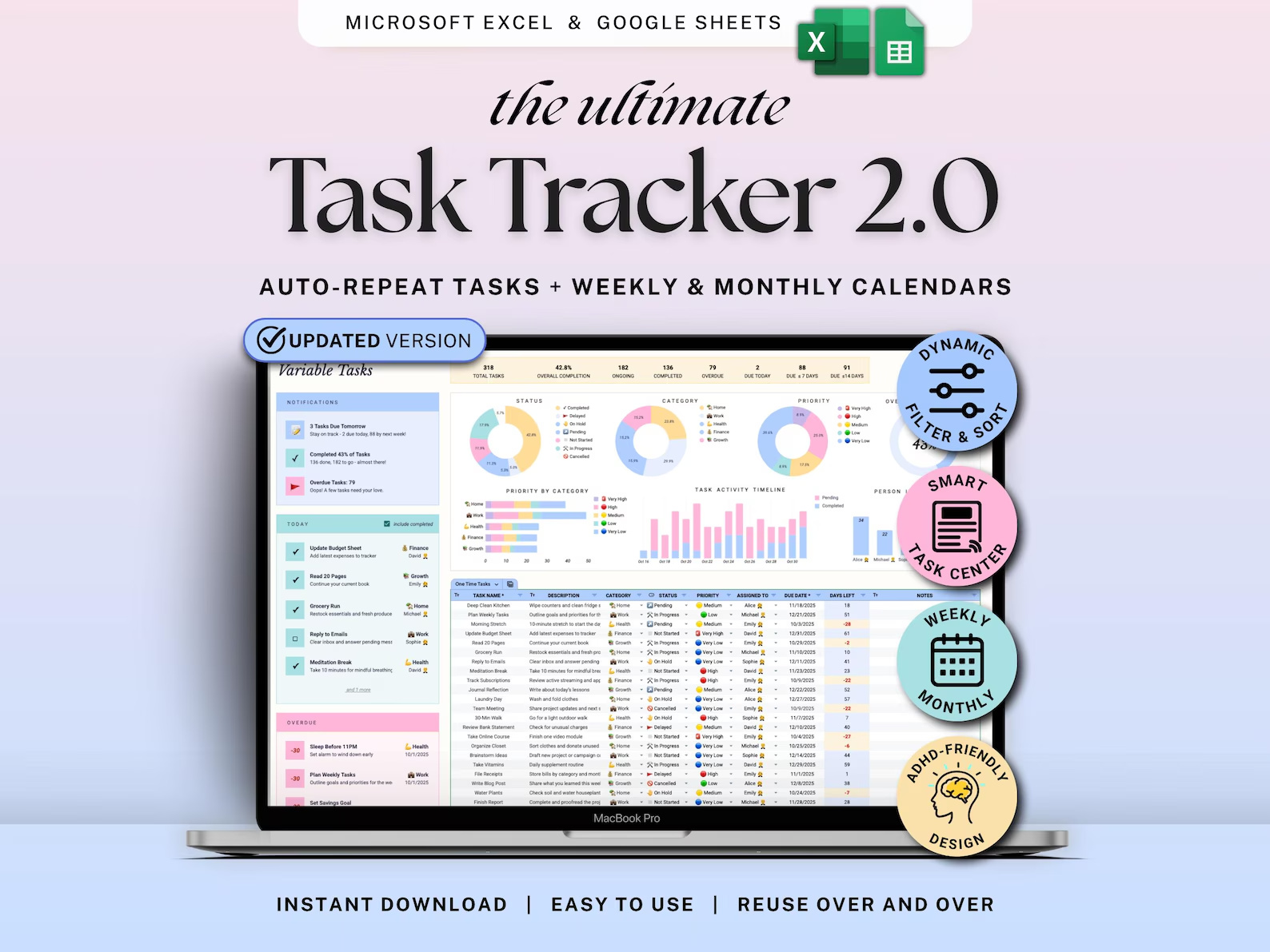
✓Weekly & monthly calendars auto-fill with one-time and recurring tasks.
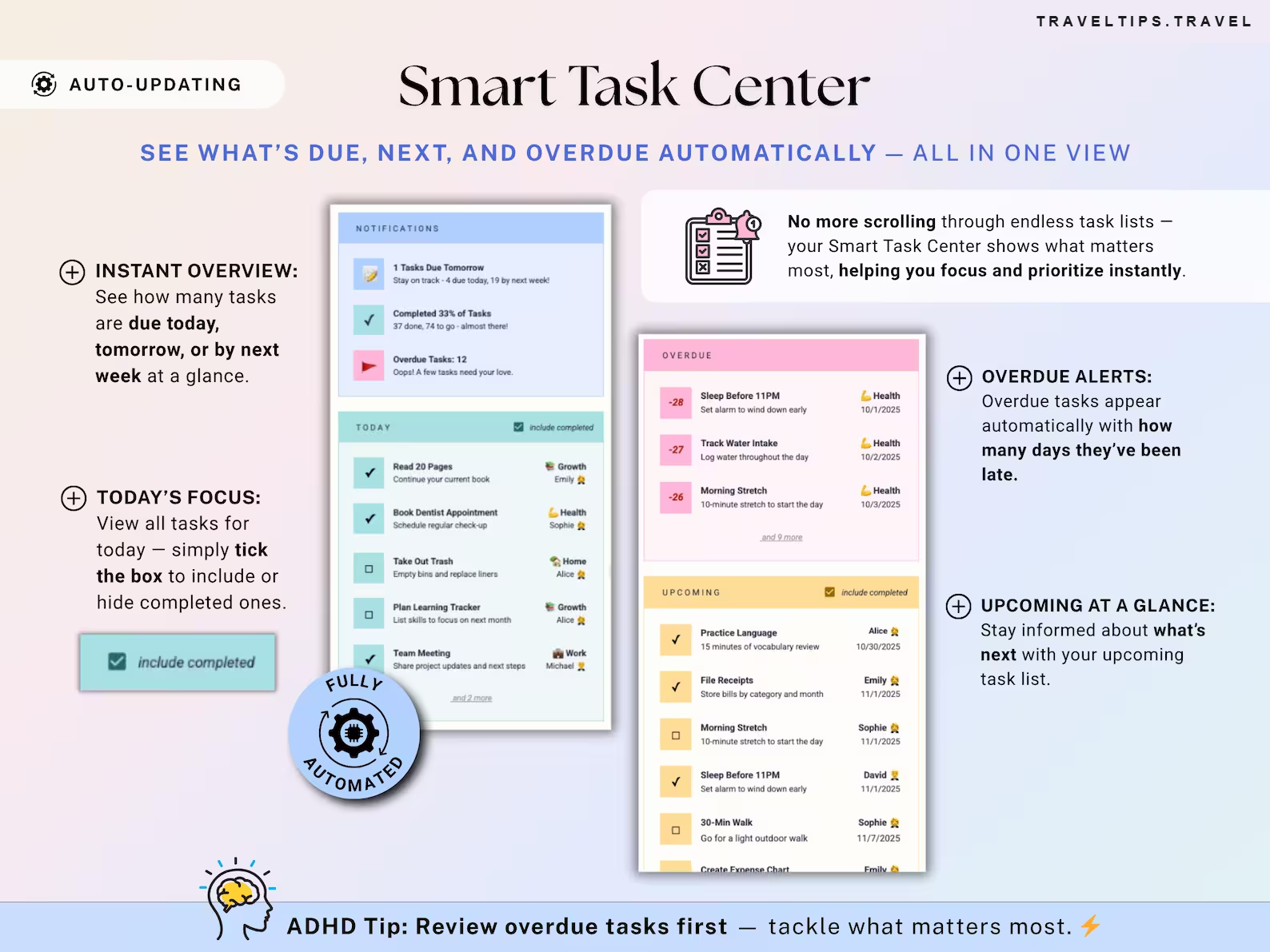
✓Smart Task Center shows today, upcoming deadlines and overdue tasks.
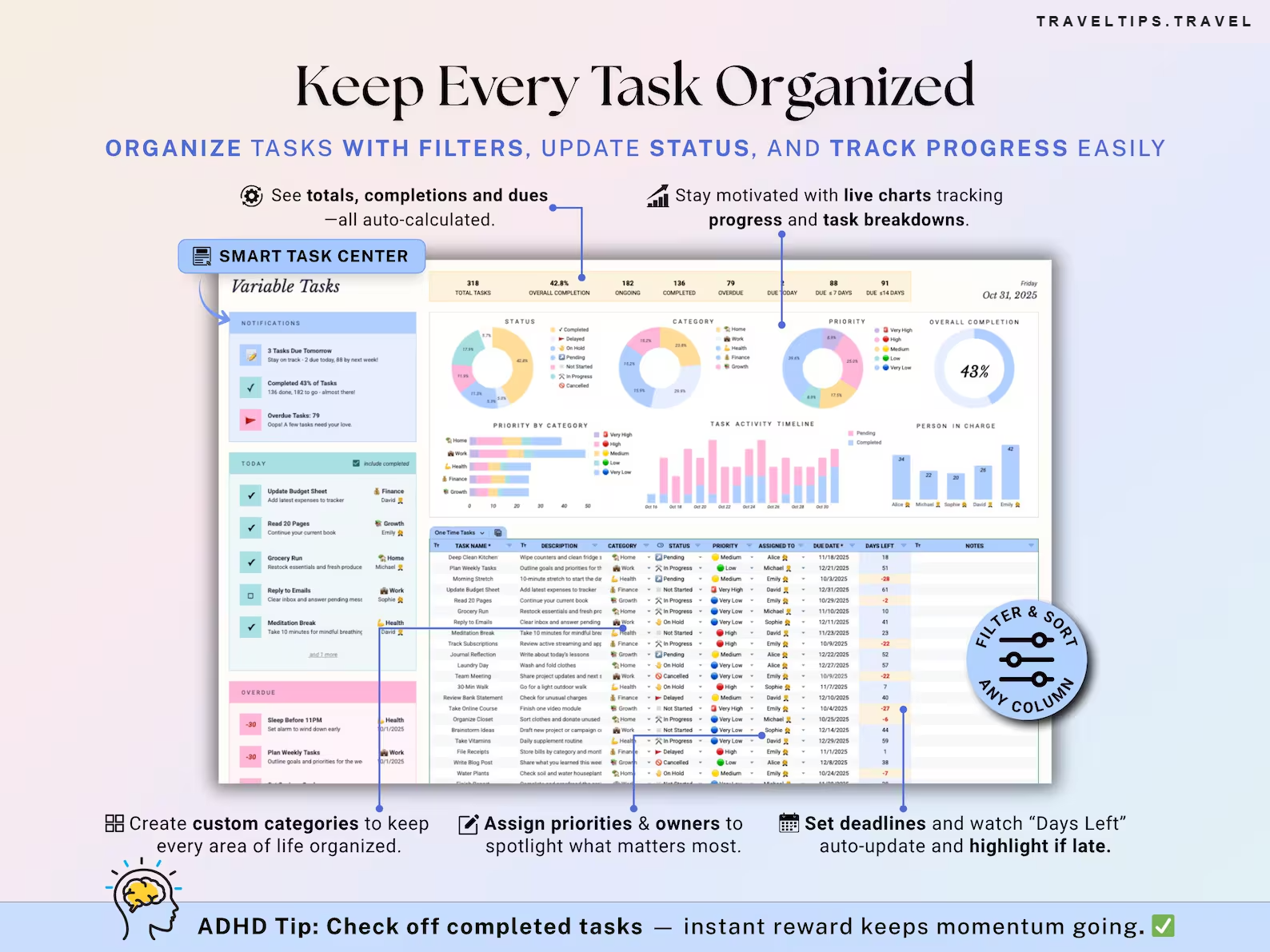
✓Color-coded priorities and live progress charts keep momentum going.

Set it once. It keeps up with you.

Routines auto-repeat, calendars auto-fill and the Smart Task Center highlights what matters today.

↻
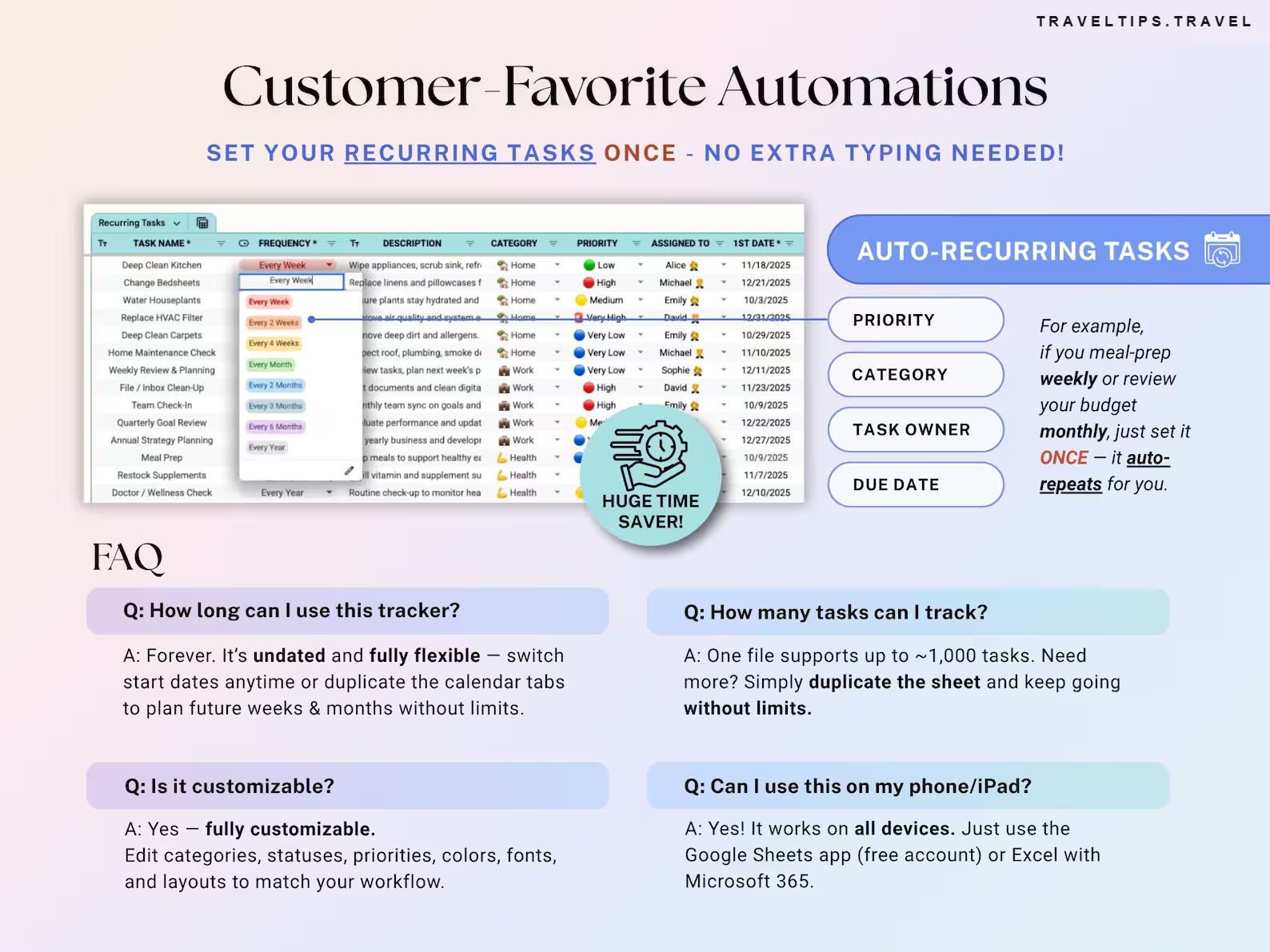
Auto-recurring tasks
Every week, 2 weeks, month, 3 months, year — list a routine once and it repeats on its own.
✎
Adjust one occurrence
Change the date, priority, owner or category of a single repeat without touching future ones.
⏰
Smart Task Center
Due today, tomorrow and next week at a glance, plus overdue alerts with how many days late.
📅
Monthly calendar
A full month view that auto-fills, with today highlighted and a Sunday or Monday start.
🗓️
Weekly calendar
A clear 7-day view with a daily progress chart and a flexible start day.
⚙️
Filter & sort anything
By status, category, assignee or priority — show all, completed or incomplete.
📊
Live progress charts
Totals, completion %, status, category and person-in-charge breakdowns, all auto-calculated.
🎨
Fully customizable
Edit categories, statuses, priorities, colors, fonts and layouts to match your workflow.
Video walkthrough included

Start with confidence — no guesswork

✓Time-stamped video guide
✓Quick, easy to follow and beginner friendly
✓Full setup instructions included

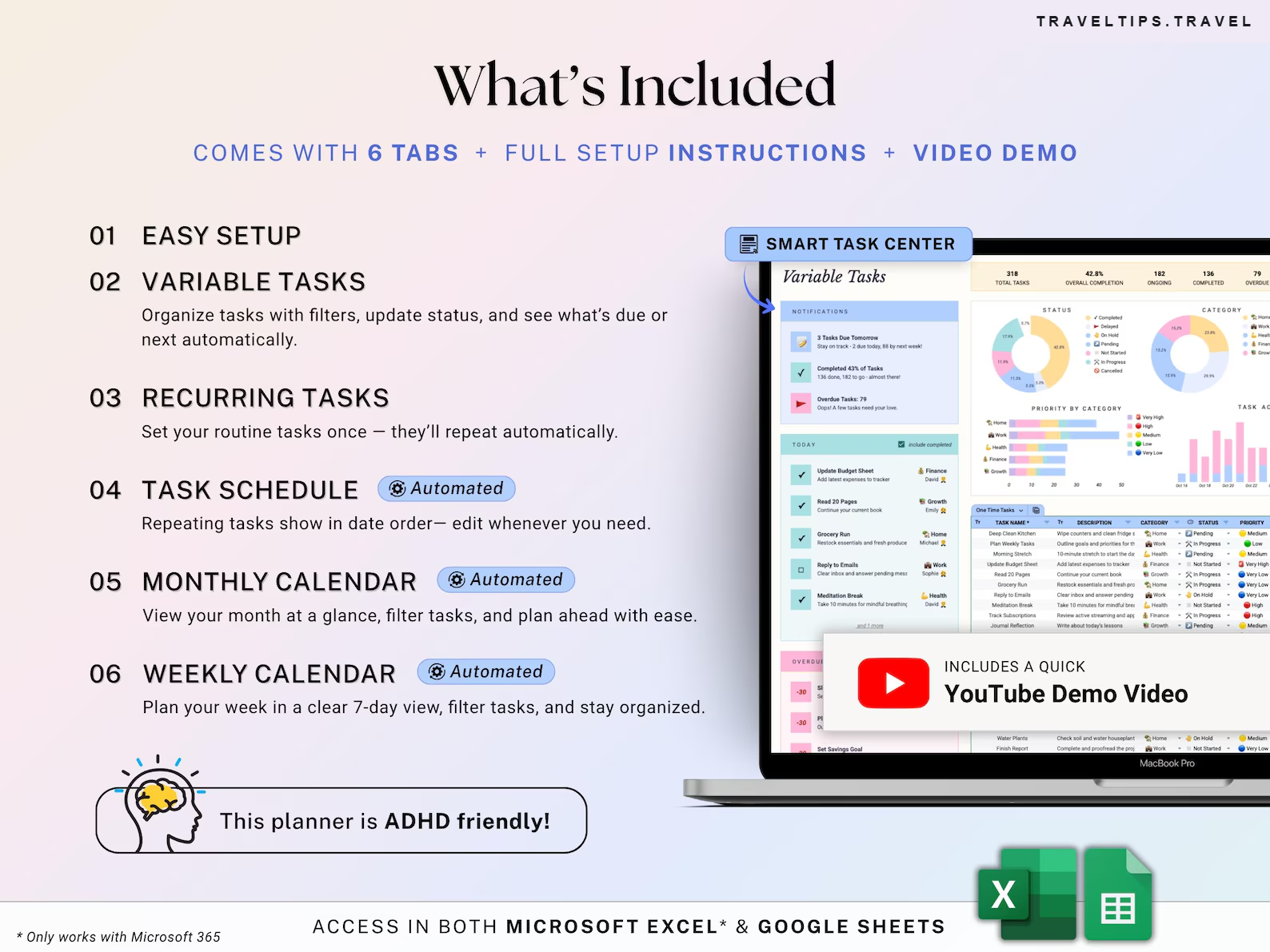
6 tabs + full setup instructions + video demo

Small enough to learn in an evening, automated enough to run itself.

Set up
AUTOMATED ⚡
✓01 Easy setup
✓02 Variable tasks — filters, status, what’s due
Automate
AUTOMATED ⚡
✓03 Recurring tasks — repeat automatically
✓04 Task schedule — repeats in date order
Plan
AUTOMATED ⚡
✓05 Monthly calendar
✓06 Weekly calendar

Trusted by thousands of happy customers

★★★★★ 25,000+ happy customers
K
KaylaVerified buyer
★★★★★
Easy to set up and use — just what I needed! The clear instructions made everything simple.
✓ Recommends
J
JordanVerified buyer
★★★★★
This product works exactly as advertised. The seller was super responsive and ensured everything fit my needs perfectly!
✓ Recommends
N
NinaVerified buyer
★★★★★
Finally — a planner that actually works! Beautifully designed, super flexible, and keeps me focused. Highly recommend!
✓ Recommends
You will receive

Everything, the minute you pay

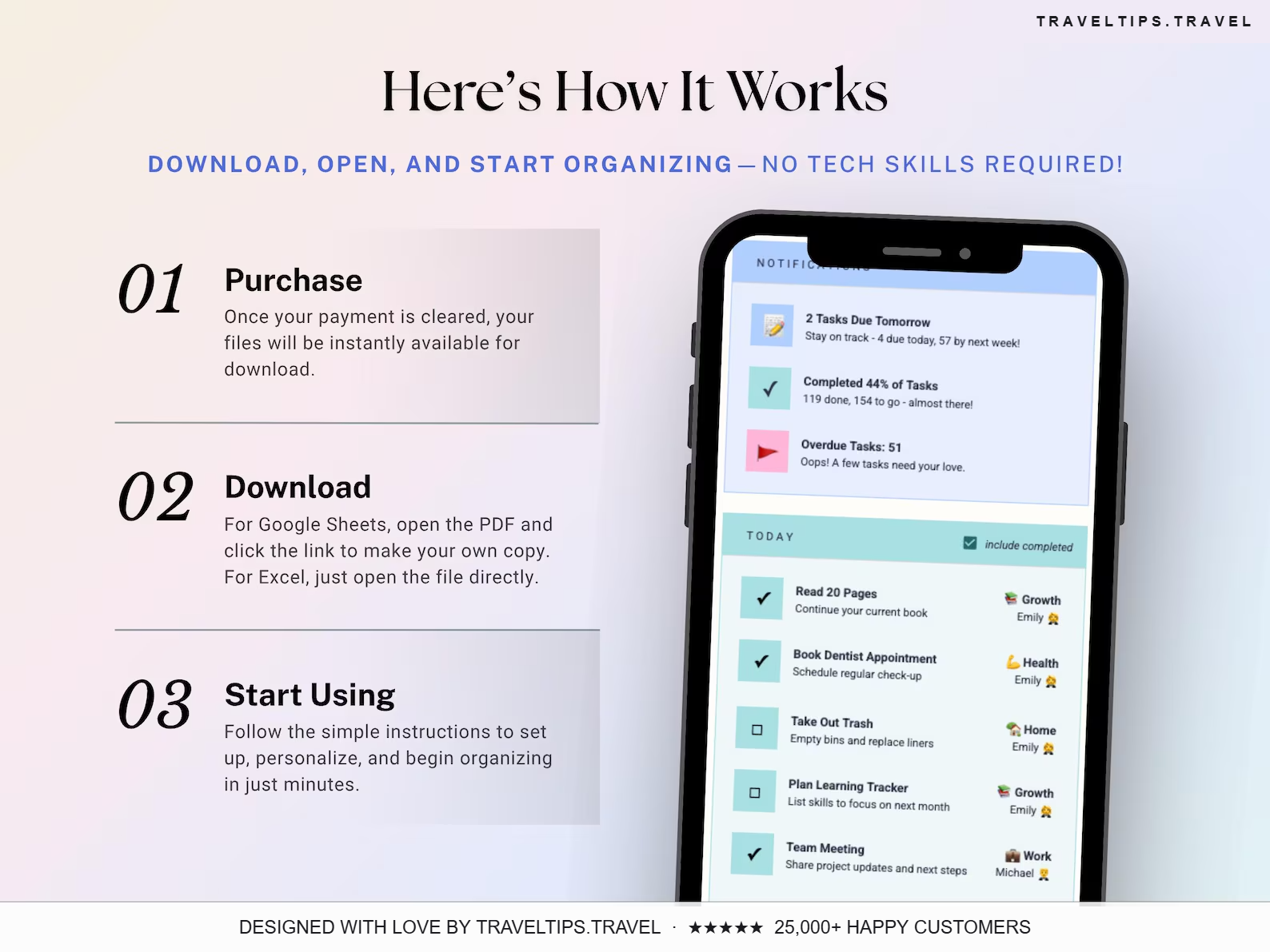
→A PDF with the link to the Task Tracker 2.0 spreadsheet for Google Sheets
→An Excel version of the spreadsheet (Microsoft 365)
→Full setup instructions included in your template
→A quick, time-stamped video demo walkthrough
→Instant download — reuse over and over
You will need
1. A device to access Google Sheets or Microsoft Excel
2. A Google Account (Google Sheets) or Microsoft Excel (Excel files)
3. Basic computer knowledge
One-off payment
€12.99 €29
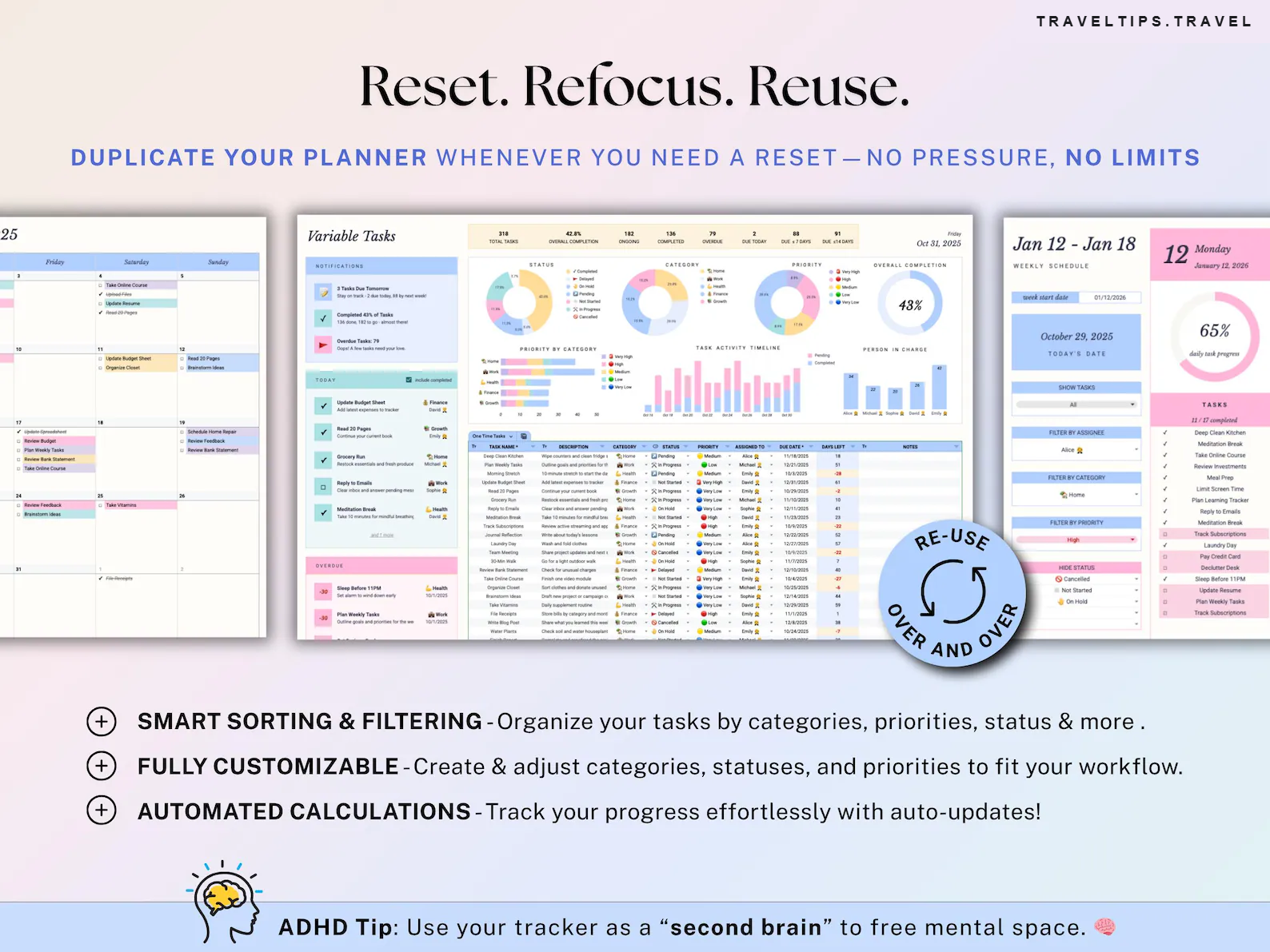
Reset, refocus, reuse — duplicate it whenever you need a fresh start.
Sale price ends in
05:48:00
Get instant access
Google Sheets · Microsoft Excel 365 · Lifetime access · Video demo
🧠 ADHD-friendly: color-coded priorities, one view for today, overdue first.
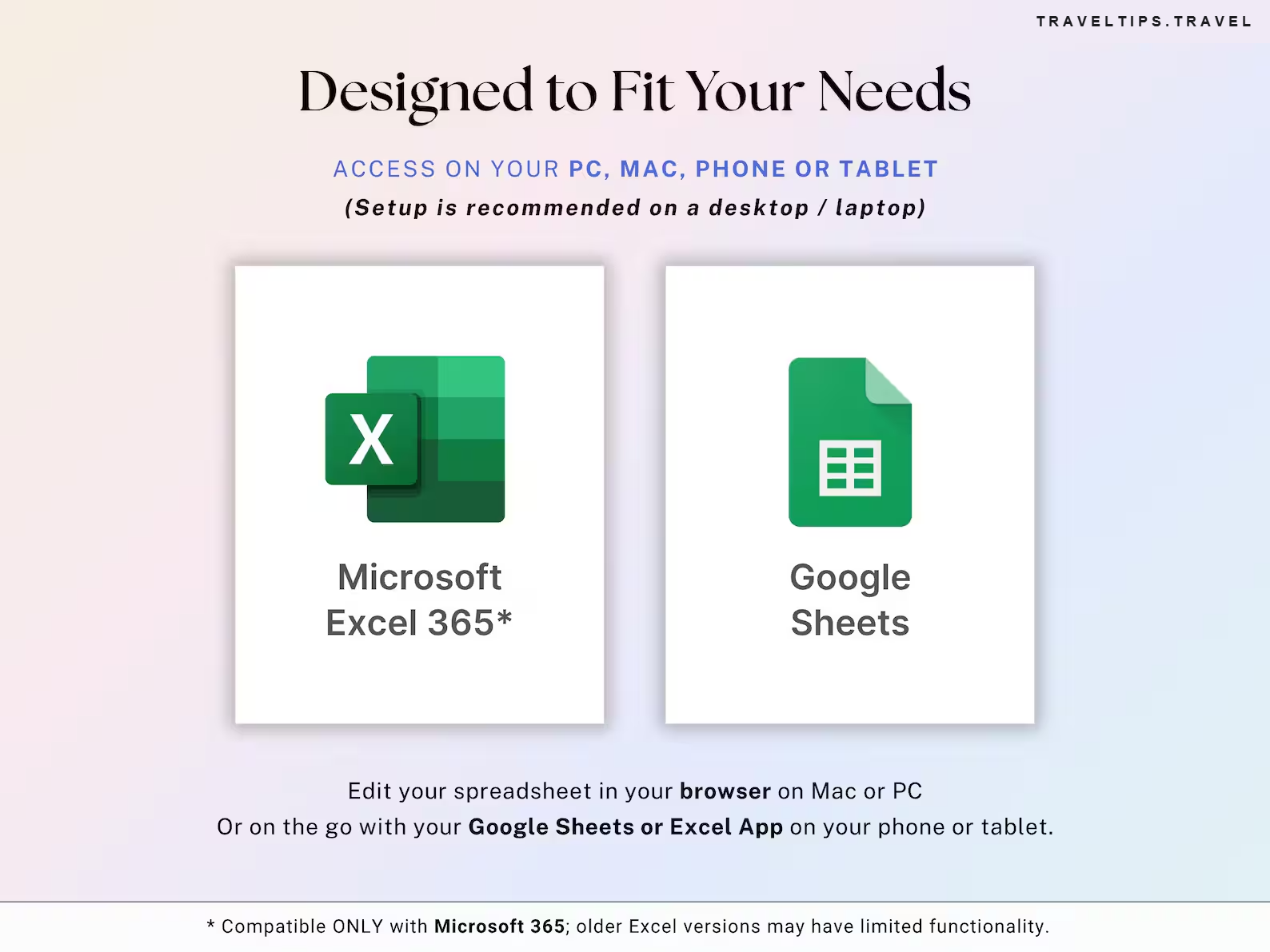
🛠️ Compatible only with Microsoft 365 and Google Sheets; older Excel versions may have limited functionality.
📱 Works on PC, Mac, phone or tablet. Setup is recommended on a desktop / laptop.
💡 Some cells are protected to avoid accidental formula deletion. Only edit white/unlocked cells.

Questions

How long can I use this tracker?+
Forever. It’s undated and fully flexible — switch start dates anytime or duplicate the calendar tabs to plan future weeks & months without limits.
How many tasks can I track?+
One file supports up to ~1,000 tasks. Need more? Duplicate the sheet and keep going without limits.
Is it customizable?+
Yes — fully customizable. Edit categories, statuses, priorities, colors, fonts and layouts to match your workflow.
Can I use this on my phone or iPad?+
Yes! It works on all devices. Use the Google Sheets app (free account) or Excel with Microsoft 365. Setup is recommended on a desktop or laptop.
Can I change one repeat without breaking the series?+
Yes. Use the Variation section in the Task Schedule to update the date, priority, owner or category of any single occurrence — future repeats stay untouched.
Is it ADHD-friendly?+
It’s designed for it: one view for today, overdue tasks first, color-coded priorities and instant check-off rewards.
How do I get my files?+
Instantly after purchase. For Google Sheets open the PDF and click the link to make your copy; for Excel just open the file. Then follow the setup instructions.
★★★★★

Your second brain, on autopilot.

Routines that repeat themselves, calendars that fill themselves, and a task center that shows what’s next.

Get instant access — €12.99
Instant download · Lifetime access · Google Sheets + Excel
🔥 Want more? Get tasks, money, meals and more in our ADHD Life & Travel Planner →
Personal use only, single-user license. Redistribution, resale or reproduction is prohibited. © 2026 traveltips.travel
Kayla from Austin bought this
3 minutes ago✓ Verified
✕